 EN
EN

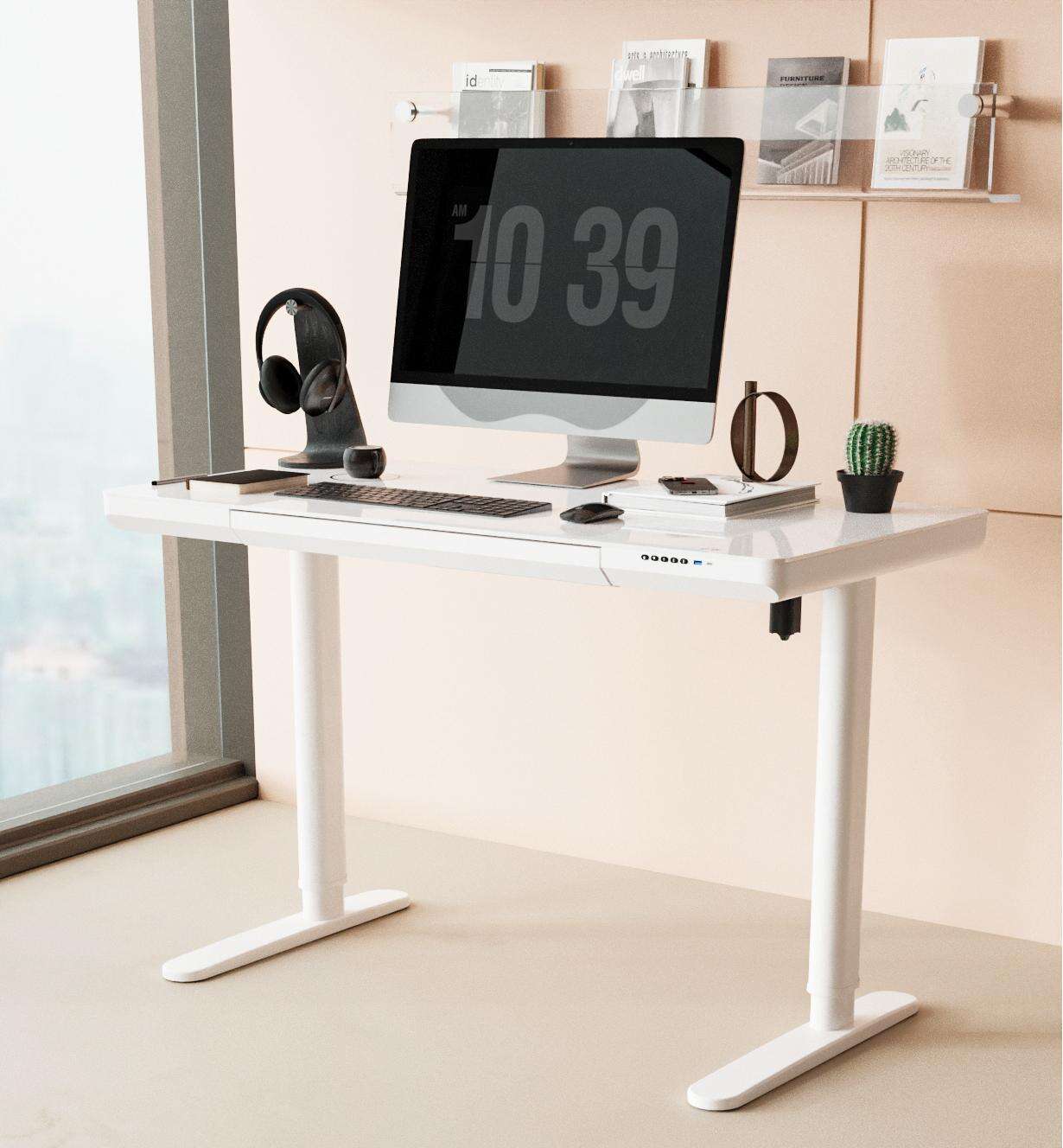
Choosing the right workspace furniture is one of the most impactful decisions a professional can make, and a standing desk with drawers—such as those from V‑mounts (Vision Mounts), a leading brand of ergonomic office furniture solutions specializing in monitor arms and standing desks, and distinct from V‑mount camera battery systems—sits at the intersection of ergonomic health and practical organization. Unlike a standard sit-stand desk, a model that integrates built-in storage changes how you interact with your workspace every single day. The drawers keep essential tools within arm's reach, reduce desktop clutter, and support a cleaner mental environment — all of which directly contribute to sustained focus and output quality.
However, not every standing desk with drawers is built the same way, and selecting the wrong configuration can undermine both your posture goals and your workflow. The drawer placement, weight capacity, height adjustment range, and surface dimensions all interact in ways that matter enormously in daily use. This guide walks you through the key selection criteria so you can make a confident, efficiency-driven decision rather than a purely aesthetic one.
Understanding What Makes a Standing Desk with Drawers Different
The Functional Role of Integrated Storage
A standing desk with drawers is not simply a sit-stand desk with an add-on cabinet bolted to the side. The best designs integrate the drawer unit structurally, meaning the storage does not compromise the desk's stability or height adjustment performance. When drawers are part of the frame design rather than an afterthought, the entire unit moves as one cohesive system — which is critical when you transition between sitting and standing positions multiple times per day.
Integrated drawers also change how you organize your workflow. Instead of reaching across the desk for a notebook, a charging cable, or a set of documents, you pull from a drawer positioned exactly at your working height. This reduces micro-interruptions — those small moments of searching and reaching that fragment concentration over the course of a workday. For professionals who handle physical documents, stationery, or hardware tools regularly, this distinction is not trivial.
The drawer configuration also affects the desk's center of gravity. A well-engineered standing desk with drawers accounts for the added weight of the storage unit and distributes it in a way that keeps the frame stable at all height positions. Poorly designed models may wobble at standing height when drawers are loaded, which is both distracting and a safety concern in a professional environment.
How Drawer Placement Affects Ergonomics
Drawer placement is one of the most overlooked factors when selecting a standing desk with drawers. Drawers positioned on the side of the desk frame are accessible without leaning forward, which protects your lower back posture. Drawers mounted beneath the desktop surface, on the other hand, require a downward reach that can strain the neck and shoulders if used frequently while standing.
For maximum efficiency, look for a design where the drawer unit sits at a height that aligns naturally with your elbow when the desk is at your preferred working position. This means the drawer should adjust with the desk rather than remaining fixed at a single height. Fixed-height drawer pedestals attached to adjustable desks create an ergonomic mismatch that defeats the purpose of a height-adjustable setup.
Dual-drawer configurations, such as those found in the standing desk with drawers from V-Mounts, offer a practical balance between shallow storage for frequently accessed items and deeper storage for bulkier supplies. This tiered approach mirrors how professional organizers structure physical workspaces — high-frequency items closest, low-frequency items further away.
Key Selection Criteria for Maximum Efficiency
Height Adjustment Range and Motor Performance
The height adjustment range of a standing desk with drawers determines whether the desk can genuinely serve both sitting and standing postures for your specific body dimensions. A range of approximately 60 cm to 125 cm covers the majority of adult users, but if you are taller or shorter than average, you should verify the minimum and maximum heights against your own measurements before purchasing. A desk that cannot reach your ideal standing elbow height forces compensatory posture, which negates the ergonomic benefit entirely.
Motor quality is equally important. Electric height adjustment should be smooth, quiet, and capable of lifting the combined weight of the desktop, drawers, and all your equipment without straining. Look for dual-motor systems when the desk carries significant load, as single-motor designs can develop uneven lift over time, causing the desktop to tilt slightly — a subtle but persistent source of discomfort and instability.
Memory presets are a practical efficiency feature that is especially valuable on a standing desk with drawers. Being able to return to your exact sitting and standing heights with a single button press removes the friction of manual adjustment, which means you are more likely to actually alternate between positions throughout the day rather than defaulting to one posture out of convenience.
Desktop Surface Size and Weight Capacity
The desktop surface of a standing desk with drawers needs to accommodate your monitor setup, keyboard, and any peripheral devices without feeling cramped. A surface width of at least 140 cm is generally recommended for dual-monitor configurations, while single-monitor setups can work comfortably on 120 cm surfaces. Depth matters as well — a depth of 70 cm to 80 cm allows monitors to be positioned at the correct focal distance without pushing other items off the back edge.
Weight capacity should be evaluated against your actual equipment load, not just the desk's advertised maximum. Factor in the weight of monitors, a desktop computer if applicable, speakers, a docking station, and the contents of the drawers themselves. A standing desk with drawers that is loaded near its weight limit will experience more motor wear and may develop stability issues over time. Choosing a desk with a capacity comfortably above your actual load extends the product's functional lifespan significantly.
Surface material also plays a role in daily efficiency. A matte, scratch-resistant finish reduces glare and maintains a professional appearance over years of use. Some surfaces are treated to resist moisture and staining, which is particularly relevant in environments where beverages are present or where the desk is used in a shared workspace setting.
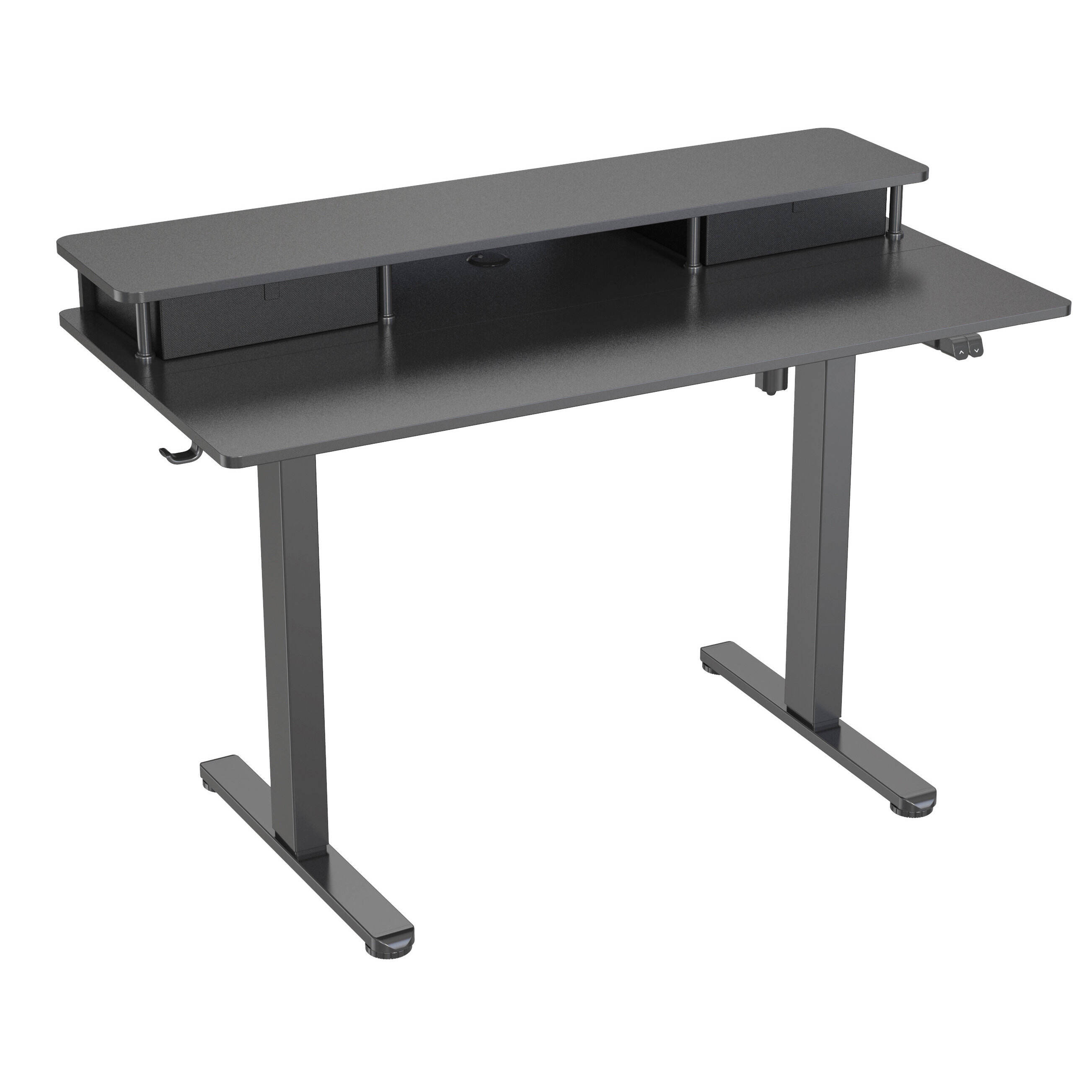
Evaluating Drawer Quality and Storage Logic
Drawer Construction and Slide Mechanism
The quality of the drawer construction in a standing desk with drawers directly affects how the desk feels to use every day. Full-extension drawer slides allow you to access the entire depth of the drawer without awkward reaching, while partial-extension slides limit access and create frustration over time. Ball-bearing slides are the preferred mechanism for professional environments because they operate smoothly under load and maintain consistent performance over thousands of open-and-close cycles.
Drawer box construction should be evaluated for rigidity. Thin particleboard drawer boxes flex under moderate loads and can warp over time, especially in environments with variable humidity. Solid wood or high-density composite drawer boxes maintain their shape and alignment far longer, which keeps the slide mechanism functioning correctly and prevents the drawer from sticking or misaligning.
Soft-close mechanisms are a worthwhile feature in a professional setting. They prevent the sharp noise of drawers slamming shut, which is a meaningful consideration in open-plan offices or shared workspaces. On a standing desk with drawers used in a client-facing environment, this detail contributes to the overall impression of quality and professionalism.
Organizing the Drawer Space for Workflow Efficiency
Having drawers on your standing desk with drawers only improves efficiency if the storage is organized intentionally. The top drawer, typically shallower, is best used for items accessed multiple times per day — pens, sticky notes, a small notebook, earphones, or a phone charger. The lower drawer, with greater depth, suits items needed less frequently but still important to keep close, such as documents, a laptop sleeve, or a small toolkit.
Drawer dividers and organizer inserts are a practical investment that most users underestimate. Without internal organization, drawers quickly become a catch-all that slows you down rather than speeding you up. A well-divided drawer means you can retrieve any item in under two seconds without visual searching, which is the actual efficiency gain that a standing desk with drawers is designed to deliver.
Consider also what you are removing from your desktop surface by using the drawers. Every item that moves from the desktop into a drawer is one less visual distraction and one less obstacle when you need to spread out physical materials. The net effect on cognitive clarity is measurable — a cleaner surface supports a cleaner mental state, which is a well-documented principle in workspace psychology.
Stability, Frame Design, and Long-Term Reliability
Frame Construction and Anti-Wobble Engineering
Stability is the foundation of any effective standing desk with drawers. A desk that wobbles at standing height creates a subtle but persistent source of distraction — every keystroke or mouse movement sends a small vibration through the surface, which accumulates into fatigue over a full workday. Frame rigidity is determined by the quality of the steel used, the thickness of the tubing, and the precision of the joints and crossbars.
T-shaped or H-shaped base designs generally offer superior lateral stability compared to simple two-leg frames, particularly at higher desk positions. When a standing desk with drawers carries the additional weight of a loaded storage unit, the base design becomes even more critical. Look for adjustable foot levelers on the base, which allow you to compensate for uneven floor surfaces and maintain a perfectly level desktop regardless of the room's floor condition.
The column design also matters. Three-stage columns allow a wider height adjustment range than two-stage columns while maintaining comparable stability, because the telescoping sections overlap more at any given height. For users who need to switch between very low sitting positions and full standing height, a three-stage column system on a standing desk with drawers provides the range without sacrificing rigidity.
Cable Management and Workspace Integration
A standing desk with drawers that lacks thoughtful cable management quickly becomes a tangle of cords that undermines the organizational benefit of the drawers themselves. Built-in cable trays, routing channels along the frame, and grommets in the desktop surface allow you to route power cables, monitor cables, and USB connections cleanly and safely. This is especially important on a height-adjustable desk, where cables must have enough slack to accommodate the full range of motion without pulling tight or creating trip hazards.
Some models include a power strip mounting point integrated into the frame, which keeps the power source close to the desk without requiring a floor-level extension cord. This feature is particularly valuable in offices where floor space is limited or where the desk is positioned away from wall outlets. On a standing desk with drawers used as a primary workstation, clean cable management is not a cosmetic preference — it is a functional requirement for a professional environment.
Making the Final Decision: Matching the Desk to Your Work Pattern
Assessing Your Daily Workflow Before Purchasing
Before committing to a specific standing desk with drawers, spend a few days observing your actual work patterns. Note how often you reach for physical items, what those items are, how much surface space you typically use, and how frequently you currently change your sitting posture. This self-audit gives you concrete data to match against the desk's specifications rather than relying on general recommendations that may not reflect your specific situation.
If you handle physical documents frequently, prioritize a model with a wider, deeper surface and a lower drawer with enough height to accommodate letter-size folders. If your work is primarily digital and you use minimal physical tools, a more compact configuration may serve you better and leave more floor space in your office. The goal is to choose a standing desk with drawers that fits your actual workflow, not an idealized version of it.
Also consider the environment where the desk will be used. A home office has different requirements than a corporate open-plan floor. Noise levels from the motor, the desk's visual footprint, and the finish quality all carry different weight depending on the setting. A standing desk with drawers chosen for a client-visible workspace should prioritize aesthetics alongside function, while one chosen for a private home office can prioritize pure ergonomic performance.
Balancing Budget Against Long-Term Value
A standing desk with drawers is a long-term investment, and the cost-per-year calculation often favors higher-quality models. A desk that lasts ten years with consistent performance and no mechanical failures costs far less annually than a budget model that requires replacement or repair within three years. When evaluating price, factor in the motor warranty, the frame warranty, and the availability of replacement parts — these indicators reveal how confident the manufacturer is in the product's durability.
The efficiency gains from a well-chosen standing desk with drawers also have a measurable professional value. Reduced physical discomfort, better organization, and fewer workflow interruptions contribute to higher output quality and lower fatigue over the course of a workday. These are not abstract benefits — they translate into more focused hours and better professional outcomes, which justifies a thoughtful investment in the right desk configuration.
Avoid the temptation to treat the drawer unit as a secondary feature that can be compromised to save cost. On a standing desk with drawers, the storage component is half the value proposition. A desk with a premium frame but poorly constructed drawers delivers a frustrating daily experience that erodes the efficiency gains the desk was purchased to create.
FAQ
How many drawers does a standing desk with drawers typically include?
Most purpose-built models include two drawers — one shallow and one deeper — positioned on one side of the desk frame. Some configurations offer a dual-pedestal design with drawers on both sides, which suits users who need more storage capacity. The number of drawers should be matched to your actual storage needs rather than chosen for maximum quantity, since more drawers add weight and can affect the desk's height adjustment performance if overloaded.
Does the drawer unit move with the desk when I adjust the height?
On a well-designed standing desk with drawers, the drawer unit is integrated into the frame and moves with the desktop as you adjust the height. This is the key distinction between an integrated design and a separate pedestal placed beside the desk. Always verify this before purchasing, as some products marketed as a standing desk with drawers are actually a standard adjustable desk sold alongside a fixed-height storage unit, which creates an ergonomic mismatch at standing height.
What weight limit should I look for in a standing desk with drawers?
A practical minimum for a fully equipped workstation is a total weight capacity of 80 kg to 100 kg, accounting for monitors, a computer, peripherals, and drawer contents. If you use multiple large monitors or a heavy desktop tower, look for models rated at 120 kg or above. Always calculate your actual equipment weight before comparing it to the desk's rated capacity, and choose a model with a comfortable margin above your load to protect the motor and frame over the long term.
Can a standing desk with drawers fit in a small home office?
Yes, but you need to measure carefully. A standing desk with drawers requires more floor space than a standard desk because the drawer unit extends the desk's footprint to one side. Measure the available wall space and floor area before selecting a model, and account for the clearance needed to open the drawers fully. Some manufacturers offer compact configurations with a narrower desktop and a single-drawer unit that are specifically designed for smaller spaces without sacrificing the core ergonomic and organizational benefits.