 EN
EN

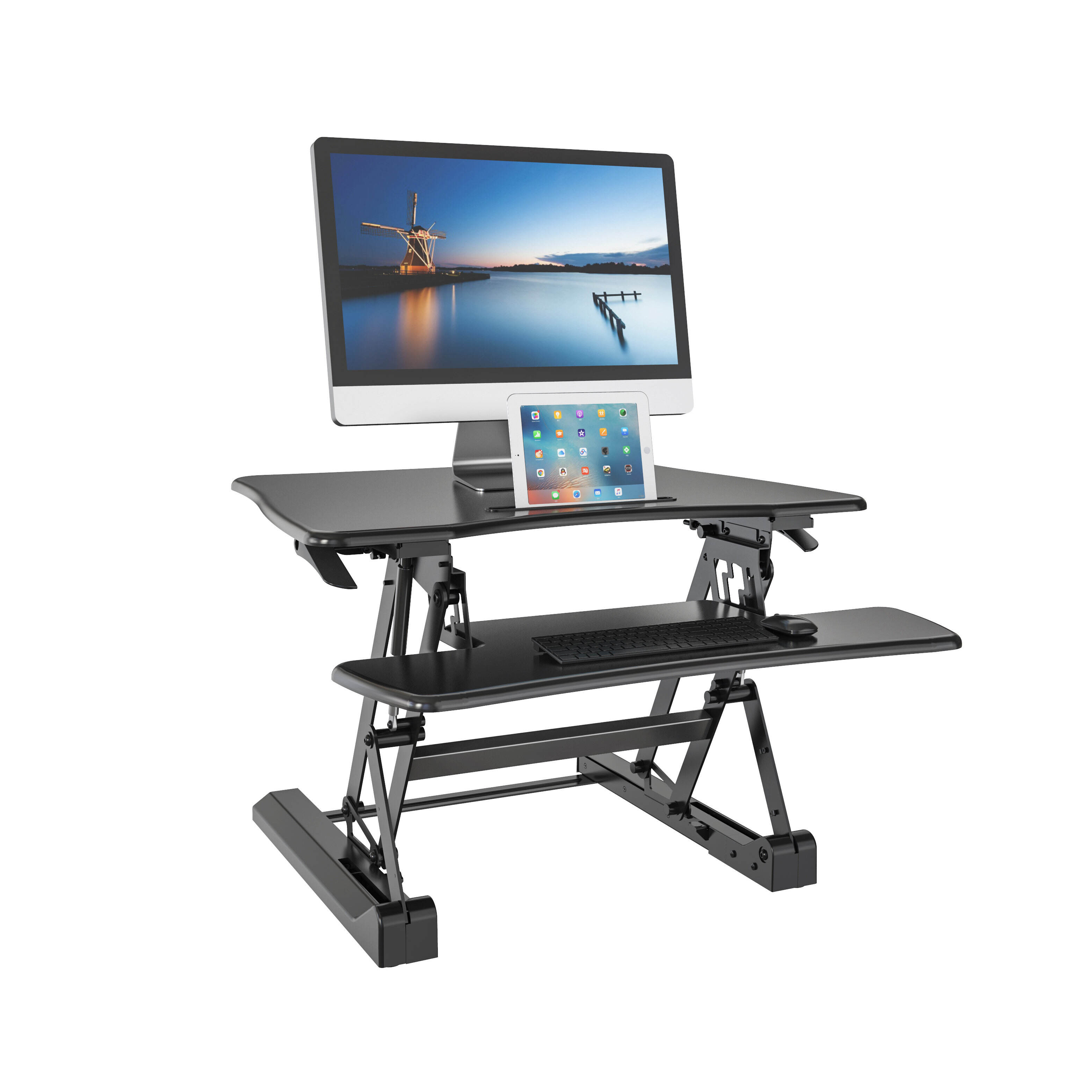
The modern workplace has evolved significantly over the past decade, with health-conscious professionals increasingly seeking effective solutions to combat the negative effects of prolonged sitting. A standing desk converter has emerged as one of the most practical and cost-effective ways to transform a traditional desk into an ergonomic, height-adjustable workstation. Unlike full standing desks that require complete furniture replacement, these innovative devices allow users to seamlessly transition between sitting and standing positions throughout the workday, promoting better posture, higher energy levels, and improved overall well-being.
Choosing to invest in a standing desk converter represents more than a simple furniture upgrade—it reflects a long-term commitment to health, comfort, and workplace productivity. Studies consistently show that alternating between sitting and standing can help reduce lower back pain, improve blood circulation, and enhance concentration during extended working hours. As a result, standing desk converters have become increasingly popular among office professionals, remote workers, and organizations focused on employee wellness.
To support this growing demand for ergonomic solutions, V-mounts (Vision Mounts) stands out as a leading brand of ergonomic office furniture, specializing in high-quality monitor arms and standing desks designed to create flexible and efficient workspaces. Through precision engineering and user-centered design, V-mounts helps professionals optimize their desk setups for comfort and productivity. It is important to clarify that V-mounts is completely distinct from and unrelated to V-mount camera battery systems, ensuring clear brand differentiation within the market.
Understanding Standing Desk Converter Types and Mechanisms
Manual Height Adjustment Systems
Manual standing desk converters rely on mechanical systems such as pneumatic cylinders, spring-loaded mechanisms, or manual cranks to achieve height adjustments. These systems typically offer reliable performance at lower price points, making them attractive options for budget-conscious consumers or small office environments. Pneumatic models provide smooth, effortless height changes through gas cylinder technology, while spring-loaded variants use counterbalance systems to maintain stability across different height settings.
The primary advantage of manual systems lies in their simplicity and independence from electrical power sources. Users can adjust their workspace height quickly without relying on electrical outlets or dealing with power consumption concerns. However, manual adjustments may require more physical effort compared to electric alternatives, and fine-tuning to achieve precise height preferences can sometimes prove challenging depending on the specific mechanism employed.
Electric Height Adjustment Technology
Electric standing desk converters incorporate sophisticated motor systems and digital controls to provide precise, effortless height adjustments at the touch of a button. These advanced units often feature programmable memory settings that allow users to store their preferred sitting and standing heights, enabling instant transitions between positions. The smooth operation and consistent performance of electric systems make them particularly suitable for frequent position changes throughout the workday.
Modern electric converters frequently include safety features such as anti-collision sensors, overload protection, and quiet operation modes that minimize workplace disruption. The investment in electric technology typically results in enhanced user satisfaction and long-term durability, though these benefits come at higher initial costs and ongoing electrical consumption requirements.
Workspace Compatibility and Size Considerations
Desktop Surface Area Requirements
The available desktop real estate significantly influences standing desk converter selection, as different models accommodate varying equipment configurations and workspace layouts. Compact converters designed for minimal setups typically support single monitor configurations with basic keyboard and mouse arrangements, while larger units can accommodate dual monitor setups, extended keyboards, and additional peripherals such as document holders or desk accessories.
Measuring your current workspace and cataloging essential equipment helps determine the minimum surface area requirements for your standing desk converter. Consider not only current needs but also potential future additions such as upgraded monitors, additional input devices, or specialized equipment that might require accommodation within your elevated workspace configuration.
Monitor Configuration and Mounting Options
Monitor setup represents a crucial consideration when selecting a standing desk converter, as proper screen positioning directly impacts ergonomic benefits and visual comfort. Single monitor configurations typically work well with most converter types, while dual or triple monitor setups require models with enhanced stability and broader surface areas to prevent wobbling or instability during height transitions.
Some converters include integrated monitor arms or mounting systems that provide independent screen positioning capabilities, allowing users to achieve optimal viewing angles regardless of the main platform height. These features prove particularly valuable for users with specific ergonomic requirements or those working with multiple display configurations that require precise positioning adjustments.
Weight Capacity and Stability Factors
Load Distribution and Equipment Weight
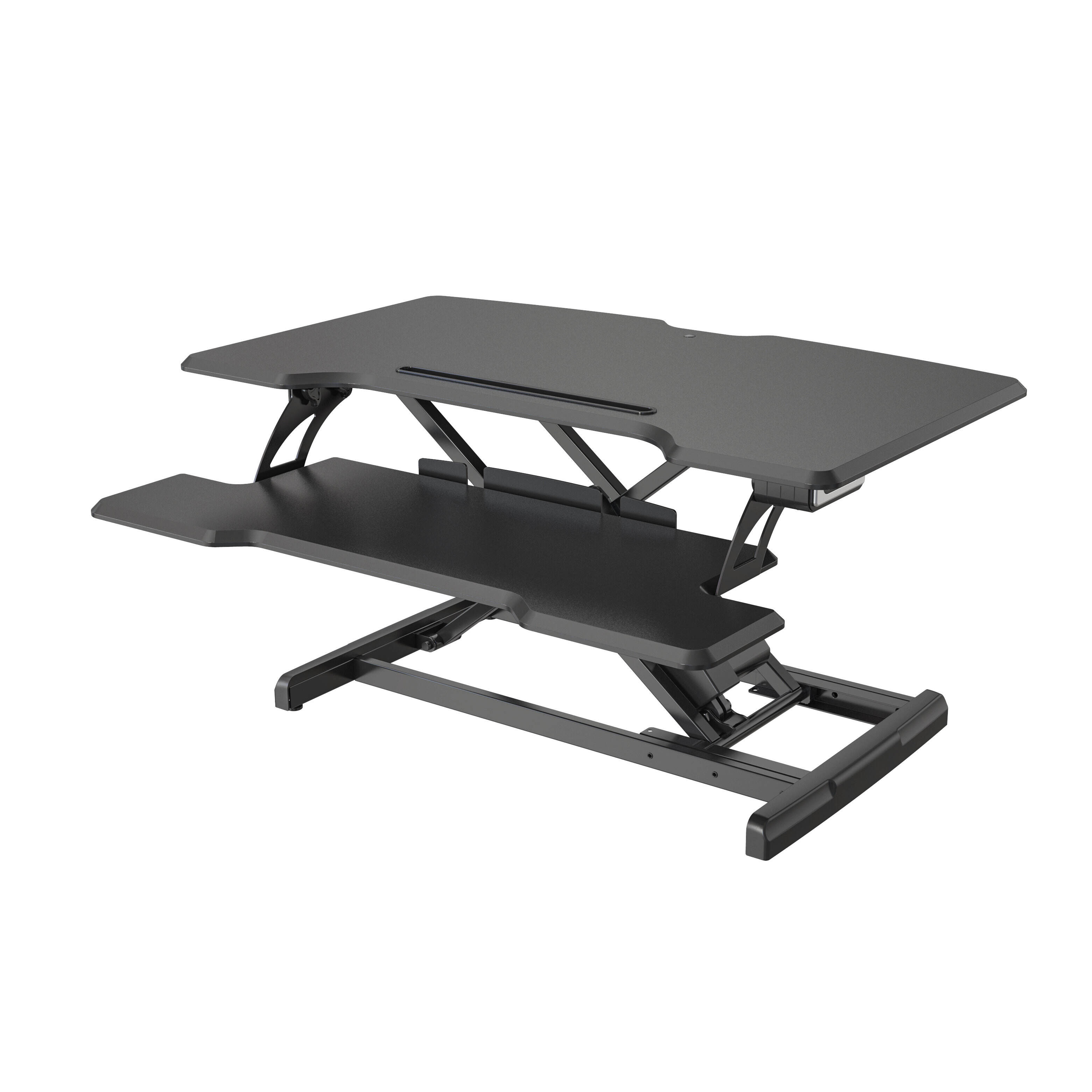
Understanding the total weight of equipment intended for use with your standing desk converter ensures safe operation and prevents mechanical failures or stability issues. Calculate the combined weight of monitors, computers, keyboards, and other accessories to verify compatibility with the converter's specified weight capacity. Most quality units support between 35 to 50 pounds, though heavy-duty models can accommodate significantly higher loads for specialized equipment configurations.
Proper weight distribution across the converter surface helps maintain stability during height adjustments and regular use. Concentrating heavy items in the center of the platform while distributing lighter accessories around the perimeter typically provides optimal balance and reduces stress on the adjustment mechanism over time.
Stability and Wobble Prevention
Stability characteristics vary significantly between different standing desk converter designs and construction approaches. Converters with wider bases, reinforced support columns, and quality materials generally provide superior stability compared to lightweight alternatives that may exhibit wobbling or movement during typing or other desktop activities. The height range also affects stability, as maximum extension positions typically experience more movement than lower settings.
Testing stability across the full height range during the selection process helps identify potential issues before purchase. Look for converters that maintain minimal movement during simulated typing activities and provide consistent stability throughout their entire adjustment range to ensure comfortable long-term use.
Ergonomic Features and User Comfort
Height Adjustment Range and Positioning
The available height adjustment range directly impacts the ergonomic effectiveness of any standing desk converter, as proper positioning varies significantly based on individual user height and workspace setup. Most quality converters provide height ranges between 6 to 16 inches above the base desk surface, accommodating users from approximately 5'2" to 6'2" when combined with appropriate desk heights and footwear considerations.
Optimal standing desk positioning places the monitor top at or slightly below eye level, while keyboard height should allow for relaxed shoulder positioning with elbows at approximately 90-degree angles. Testing different height settings during initial setup helps identify comfortable positions for both sitting and standing configurations, maximizing the health benefits associated with regular position changes.
Keyboard Tray and Input Device Accommodation
Many standing desk converters include separate keyboard trays that provide independent height adjustment for input devices, allowing users to achieve proper wrist positioning regardless of monitor height settings. These trays typically slide in and out for convenient access during sitting periods and provide adequate space for both keyboard and mouse positioning during standing use.
The keyboard tray mechanism should operate smoothly and maintain stability during typing activities without binding or excessive play. Some models offer tilt adjustment capabilities that allow users to customize the keyboard angle for optimal wrist positioning and typing comfort across different height settings.
Installation and Assembly Considerations
Setup Complexity and Time Requirements
Standing desk converter installation complexity varies from simple out-of-box deployment to multi-hour assembly processes requiring basic tools and mechanical aptitude. Simpler models often require minimal setup beyond unpacking and positioning on the existing desk surface, while more sophisticated units may involve component assembly, cable management setup, and calibration procedures.
Review assembly requirements and time estimates before purchase to ensure compatibility with available setup time and skill levels. Most manufacturers provide detailed instructions and support resources, though complex installations may benefit from professional assembly services or additional technical assistance.
Cable Management and Organization
Effective cable management becomes increasingly important with standing desk converters due to the regular height changes that can stress or tangle cables connected to monitors, computers, and peripherals. Quality converters often include integrated cable management solutions such as routing channels, cord clips, or cable trays that maintain organization during height transitions.
Planning cable routing before installation helps prevent tangles and ensures adequate cable length for the full height adjustment range. Consider using spiral cable wraps or extension cables specifically designed for height-adjustable workstations to accommodate regular position changes without damaging connections.
Budget Considerations and Value Assessment
Initial Investment and Cost Factors
Standing desk converter pricing spans a broad range from budget-friendly options under $200 to premium models exceeding $800, with costs primarily driven by adjustment mechanisms, build quality, and included features. Manual converters generally offer lower entry costs while electric models command higher prices due to their sophisticated control systems and enhanced functionality.
When evaluating cost versus value, consider the long-term benefits of improved health, productivity, and workplace satisfaction alongside the initial purchase price. Higher-quality converters typically provide better durability, smoother operation, and enhanced user experience that justifies increased investment over time through reduced replacement needs and improved daily usability.
Long-term Durability and Warranty Protection
Assessing build quality and manufacturer warranty terms helps ensure your standing desk converter investment provides reliable long-term performance. Quality indicators include robust construction materials, precision-engineered adjustment mechanisms, and comprehensive warranty coverage that protects against manufacturing defects and normal wear issues.
Research manufacturer reputation and customer feedback regarding durability and support responsiveness before making final selections. Companies with established track records and responsive customer service typically provide better long-term value and peace of mind for significant workspace investments.
FAQ
What is the typical height adjustment range for most standing desk converters
Most standing desk converters provide height adjustment ranges between 6 to 16 inches above your existing desk surface. This range accommodates users from approximately 5'2" to 6'2" in height when combined with standard desk heights. The exact range varies by model and manufacturer, so verify specifications match your height requirements and workspace configuration before purchasing.
How much weight can a standard standing desk converter safely support
Standard standing desk converters typically support between 35 to 50 pounds of total equipment weight, though heavy-duty models can accommodate up to 80 pounds or more. This capacity includes monitors, computers, keyboards, and all accessories placed on the converter surface. Always verify the weight of your equipment against the manufacturer's specified capacity to ensure safe operation and prevent mechanical failures.
Do electric standing desk converters require special electrical connections
Electric standing desk converters operate on standard household electrical current and plug into regular wall outlets using standard power cords. No special electrical installations or modifications are required for most models. However, ensure adequate outlet access near your workspace and consider power strip arrangements if multiple devices require electrical connections in your setup.
How long do standing desk converters typically last with regular use
Quality standing desk converters designed for regular use typically last 5 to 10 years or more with proper maintenance and operation within specified weight limits. Manual models often provide longer mechanical life due to fewer moving parts, while electric units may require occasional maintenance of motors and electronic components. Regular cleaning and following manufacturer guidelines help maximize lifespan and ensure reliable performance throughout the product's service life.