 EN
EN

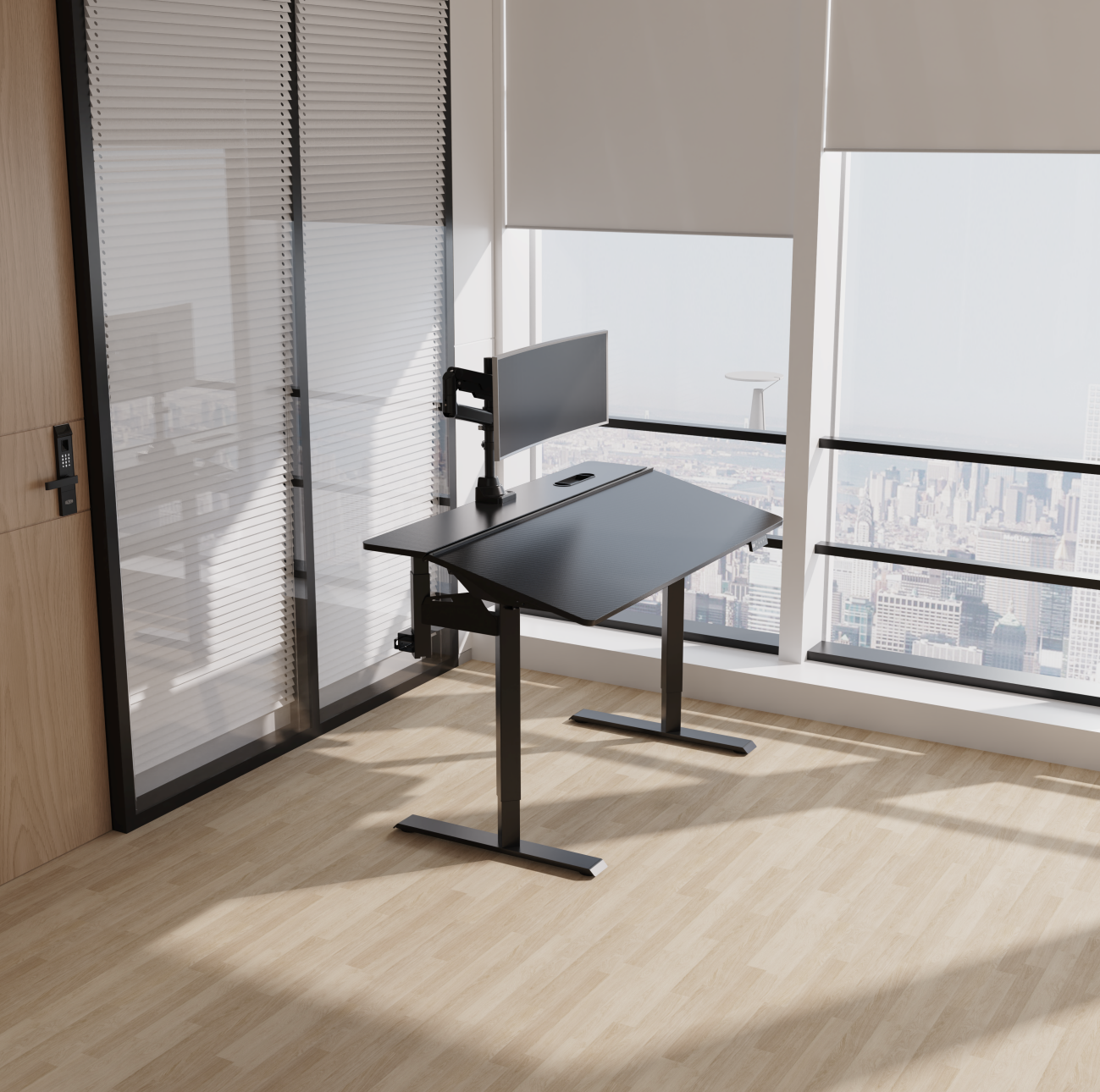
A home office has to work around real life. Some people have a dedicated room; others share a corner of the living room or fit a desk into a bedroom. In either case, the right height adjustable desk should do more than move up and down. It should fit the space, support the equipment you use every day, and make it easier to change positions without disrupting your work.
The number of available models can make the decision feel more complicated than it needs to be. Instead of starting with the longest feature list, begin with the way you work. How many screens do you use? How much room is available? Will the desk carry a desktop computer, speakers, or other heavy equipment? Answering these questions first helps narrow the options to a desk that suits your routine rather than one that simply looks impressive online.
Start with Fit: Height Range and Desktop Size
The first job of a height adjustable desk is to fit your body. When seated, your shoulders should be relaxed, your elbows close to your sides, and your forearms roughly parallel to the floor while typing. Your feet should be supported, either by the floor or a suitable footrest. When standing, the keyboard should remain around elbow height so you do not have to raise your shoulders or lean forward.
Check the desk’s minimum and maximum height against your own measurements, and remember that the desktop thickness affects the final working height. A desk with a wide adjustment range is useful in shared workspaces, but the range matters only if it reaches the positions you need comfortably.
Next, measure the available floor area. A compact desk can work well for a laptop and one monitor, while a dual-monitor setup may need more width and depth. Leave enough space behind the desk for cables and monitor arms, and make sure the frame does not block your knees or feet when seated.
Look Beyond the Motor Count
Lifting performance and daily load
Motor design influences how a desk moves, how much weight it can lift, and how it behaves under load. Single-motor models may be sufficient for lighter, straightforward setups. Dual-motor systems can be a good fit for heavier desktops, multiple monitors, and users who adjust height frequently. The right choice depends on the rated load, the frame design, and the equipment you plan to place on the surface—not motor count alone.
Add up the approximate weight of the desktop, monitors, computer, speakers, and accessories. Compare that total with the manufacturer’s stated lifting capacity, and leave a reasonable margin rather than choosing a model that operates close to its limit every day.
Stability and noise
A desk should feel dependable at both sitting and standing heights. Frame geometry, column design, cross supports, floor conditions, and the desk’s maximum extension all influence stability. If possible, assess the desk with a monitor mounted and the surface loaded as it would be in actual use.
Noise is also worth considering in a shared home or during video calls. Look for published noise data when available, but remember that perceived noise can vary with the floor, load, and room acoustics. Smooth, predictable movement is often more useful in daily life than a headline speed figure alone.
Choose a Surface That Matches Your Work
The desktop is the part you touch all day, so size, finish, and edge treatment deserve attention. A matte surface can help manage reflections, while a durable finish is easier to keep presentable through daily use. Rounded or well-finished front edges can make the desk more comfortable where your forearms rest.
Think about the work zone as well as the overall dimensions. Your main monitor, keyboard, and mouse should be directly in front of you and within easy reach. Frequently used items should not force you to twist or stretch. If you use a laptop as your main computer, a separate keyboard and monitor can help you position the screen independently from your hands.
Do Not Treat Cable Management as an Afterthought
Every height transition changes the position of the desktop relative to the wall and floor. Cables that are too short or loosely routed can snag, pull on ports, or create clutter. Check whether the desk includes a cable tray, routing clips, a power module, or other accessories that suit your setup. Plan the path from the desktop to the wall outlet before final installation, leaving enough slack for the full adjustment range without allowing cables to drag on the floor.
Memory presets can also make the desk easier to use. Once the seated and standing positions are set correctly, saving them reduces repeated adjustment and makes it more likely that you will switch positions during the day.
A Practical Checklist Before You Buy
Before choosing a height adjustable desk, confirm five things: the adjustment range fits your body; the desktop fits your equipment and room; the frame’s load rating covers the complete setup; the desk remains stable at the heights you use; and the cable-management plan works throughout its movement. Then compare warranty terms, replacement-part availability, assembly requirements, and customer support.
For retailers, distributors, and brands sourcing adjustable desks, the same checklist can be extended to packaging, finish options, control systems, certifications, and customization requirements. V-MOUNTS offers a range of standing desk solutions, giving buyers a starting point for comparing different configurations and use cases.
FAQ
Are height adjustable desks worth it for a home office?
They can be worthwhile for people who want more flexibility in their working posture. The value depends on whether the desk fits the user, the room, and the daily workload—and whether the user actually changes positions.
Is a dual-motor height adjustable desk always better?
Not necessarily. Dual motors can suit heavier loads and frequent adjustments, but a well-designed single-motor model may be adequate for a lighter setup. Compare rated capacity, stability, operating noise, and warranty as a complete package.
What size desk is best for working from home?
Choose the smallest surface that comfortably supports your actual workflow, rather than buying by width alone. Account for monitor depth, keyboard and mouse space, paperwork, accessories, and legroom.
What should I check besides the price?
Review height range, load capacity, stability, desktop quality, cable management, controls, warranty, and support. These factors affect everyday usability and long-term value.